
Thirty-four percent of Americans save their passwords in the browser when prompted to do so. Unfortunately, browsers like Chrome, Edge, and Safari have become prime targets for hackers who want to steal credentials.
Unlike traditional password managers, browser password managers weren’t built with a security-first principle. For example, Chrome stores passwords in plain text in memory, and evidence suggests that all other major browsers do the same. Hackers are thus able to steal these passwords through a relatively trivial memory dump.
Browsers also create detectable patterns in memory when storing passwords, allowing hackers to further hone in on where they’re stored in your computer.
Most browsers store your passwords in a local profile data file, syncing it to a cloud account when you allow it. For example, Chrome stores passwords in your Google account, while Safari can store them in your iCloud account.
If your device or synced account is compromised, an attacker inherits the entire password vault.
Browser-stored credentials are often only weakly protected by the user’s OS login.
A “ClickFix” phishing campaign illustrates how easily a password vault can be bypassed for security. Users are prompted to download malware through a phishing page. The malware then loads an information stealer called Redline Stealer. Redline Stealer harvests browser information, including passwords, autofill information, and credit card details.
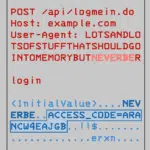
Decrypting information from Google Chrome requires only three simple steps:
Info-stealer malware can be purchased from underground forums for between $40 and $600.
Information-stealing malware is experiencing a massive surge. Tools such as RedLine Stealer, Raccoon, StealC, and Lumma are common examples of these malware strains currently in the wild.
RedLine, StealC, and Lumma alone accounted for approximately 75% of all infected machines in 2024. Redline was the reigning champion in 2023, but has since been superseded by Lumma, which is available through malware-as-a-service (MaaS) offerings.
Information stealers can extract passwords and other sensitive information within seconds, sending them off to a remote server before the user realizes they’ve been infected.
The passwords also often go up for sale on the dark web.
Stolen credentials have a definite impact on businesses, even if those credentials were taken from a user’s personal machine.
Users typically access company services from home. If they store their passwords in a browser, those business accounts can be compromised.
Setting up additional safeguards, such as blocking access to sensitive company resources from anything but a handful of IPs or named locations, is essential. However, this isn’t always possible, especially as the world becomes more and more remote-first.
Even if employees don’t use personal browsers for business logins, password re-use is rampant among average users, especially Gen Z users. Seventy-two percent of Gen Zers admit to reusing passwords.
Employee user credentials can give hackers access to SaaS platforms, internal company tools, and cloud dashboards and resources. The risk of lateral movement once attackers get these credentials is high.
Having access to credentials effectively gives hackers the “keys to the kingdom” because infiltration then bypasses typical protections.
Computer networks are protected by identity and authentication. In the absence of MFA methods, a username and password are the only requirements to prove “identity.” Once a hacker has infiltrated a network with an employee’s credentials, they “become” that employee in the network’s eyes and possess all the privileges that employee has.
Password managers aren’t perfect. However, they’re typically built with security first in mind, rather than as an add-on function. In the case of browsers, their primary function is to facilitate browsing, not to secure passwords.
The only major password manager ever to be massively hacked was LastPass in 2023. While this was a grave incident, it was an isolated one compared to the scourge of daily attacks successfully carried out against browser credentials and other stored data. The LastPass hack was also a highly sophisticated, coordinated attack against the company itself, not against the quality of its password encryption.
Password managers typically use stronger encryption standards than browsers. They also implement master password protections, which browsers don’t.
Password managers utilize a zero-knowledge architecture, where passwords are encrypted on the client’s device before syncing them to the cloud. This means that losing access to your master password will block you from accessing your passwords forever. However, it also means that no one else can access your passwords without it.
Another feature that password managers offer is governance and password management, such as enforcing password rotation policies or allowing users to securely share passwords as well as revoking those shares. Users can also enable emergency recovery codes if they lose their master keys.
Saved browser passwords introduce a primary attack path. As a security professional, your objective is to reduce the amount of valuable data a stealer can access and make that data significantly harder to decrypt or use. A primary step to achieving that goal is to prevent users from saving passwords in their browsers altogether.
For company-controlled devices, this is as easy as setting up policies. However, preventing users from saving passwords on personal devices necessitates training and enlightenment so they understand the risks. You might even need to go as far as providing personal password managers for all employees, so they have somewhere other than their browsers to save passwords. Too many users reuse passwords, and it’s unrealistic to expect all of them to stop doing it.
Another core action to take is requiring MFA to access any company resources. This would significantly lower the risk of compromised credentials. The more sensitive the resource is, the more secure the MFA must be, such as requiring FIDO2 or biometric authentication as opposed to one-time passwords via email or SMS.
Where possible, restrict logins to approved IPs or VPNs. If a hacker steals a password, they still wouldn’t be able to access the resource if they’re not within the predefined IP range.
Enforce password rotation and a minimum password strength. You can also monitor for stolen credentials on the dark web as a defensive tactic.
Finally, ensure your organization is using EDR (endpoint detection and response) or XDR (expanded EDR) so you can detect anomalies if they occur.
Saved browser passwords create a direct path for attackers. A single compromised device or synced cloud account can expose entire business systems because the browser becomes the weakest link in the authentication chain.
Info-stealer malware is inexpensive and designed specifically to extract these stored credentials within seconds.
Improving security starts with reducing how much valuable data a stealer can access. Blocking password storage in browsers and tightening access policies are crucial first steps. However, you need to ensure your entire security posture is resilient enough to withstand these and other attacks.
SolCyber focuses on helping organizations apply these fundamentals consistently. We provide streamlined tooling and continuous monitoring.
We help you take an identity-first approach to cybersecurity, while simplifying how you operate security.
With a fully managed security program that includes endpoint and email protection, Active Directory hardening, phishing simulations, and 24/7 SOC monitoring, you gain a strong defense without juggling multiple vendors or tools.
To learn more about how SolCyber can help you strengthen your security posture, reach out to us today.
Photo by Firmbee.com on Unsplash



By subscribing you agree to our Privacy Policy and provide consent to receive updates from our company.