AI-Powered Malware: Existential Threat or Overhyped Buzz?
AI dominates headlines and newsfeeds these days, and AI-related cybersecurity headlines are no exception.



Microsoft-hating cybersecurity hacker and researcher Nightmare Eclipse is back with more zero-days, the jargon term for security bugs that are known and documented before any patches are available.
That term comes from the 20th-century world of computer game cracking, when avid gamers competed to crack and pirate the latest game releases as soon as possible after they came out, often as much for bragging rights as to help their chums play the game without paying.
The top crackers didn’t wait until a game hit the stores to prepare their hacking tools, but tried to anticipate the protection tricks that might be used, and the ways that existing protectors might be tweaked and strengthened.
The goal was to be the first to announce a crack, as soon as possible after the game went on sale.
A week might be a good result, and four days would get the adulation of the cracking community, but zero days – a crack on the very same day that the game appeared – was the ultimate accolade.
These days, of course, we use the term largely the other way around, with a zero-day referring to any existing bug that was patched reactively.
Because of previous taunts and zero-day disclosures, N. Eclipse was threatened with legal action by Microsoft.
They were also banned from GitHub last month, even though Microsoft left thousands of other accounts that feature equally dangerous security research and tools intact, and subsequently banned from competitor GitLab as well.
The resulting community backlash seems to have led to N. Eclipse being allowed to create a new GitHub account, this time under the username MSNightmare.

Notoriously, N. Eclipse has now “dropped” zero-days, as the cool kids call it, for three months in a row, quite purposely timing these full disclosures so they hit both sysadmins and the media shortly after Microsoft’s Patch Tuesday, which is the second Tuesday of each calendar month.
They’ve also actively promised more excitement of this sort for 2026-07-14, the second Tuesday in July and thus next month’s Patch Tuesday.
The idea, presumably, is to put Microsoft on the horns of a dilemma.
Should the company wait almost a full month to provide a patch that fits into the schedule that many IT managers have become accustomed to, or should it push out what it calls an “out-of-band” patch that needs time and energy that hasn’t been planned for in advance?
Critics of Microsoft’s method say that it is self-serving not simply to provide all patches as soon as possible, and let customers choose whether to batch them up or not. Supporters of the Patch Tuesday approach argue that creating, testing and shipping patches for big corporate networks is best managed via an orderly schedule, much like celebrating getting a year older on the very same day every year.
N. Eclipse’s latest zero-day is called GreatXML.
Embarrassingly for Microsoft, it’s the fifth of N. Eclipse’s eight vulnerabilities that exploits a flaw in Windows Defender, the very software that Microsoft sells to protect you from viruses, malware, hackers, crackers, and cyberattackers.
Even more excitingly. from a attention-grabbing perspective at least, it’s the second exploit that targets BitLocker, the software that’s supposed to keep your hard disk encrypted and safe from snooping in case your laptop is lost or stolen.
Full-disk encryption, or FDE for short, is considered important because a cybercriminal in possession of your laptop can devote as much time and effort as they want to breaking into it, including taking it to pieces, soldering on electronic probes and snooping hardware, and plugging the hard disk into dedicated data recovery devices.
If you’re a LinkedIn user and you’re not yet following @SolCyber, do so now to keep up with the delightfully useful Amos The Armadillo’s Almanac series. SolCyber’s lovable mascot Amos provides regular, amusing, and easy-to-digest explanations of cybersecurity jargon, from MiTMs and IDSes to DDoSes and RCEs.

Even if you know all the jargon yourself, Amos will help you explain it to colleagues, friends, and family in an unpretentious, unintimidating way.
Last month, we wrote in some detail about YellowKey, a BitLocker bypass that anyone could exploit.
Carrying out a YellowKey attack was as simple as copying a bunch of files from N. Eclipse’s former GitHub page onto a USB drive, plugging it into a victim’s device, and rebooting into Windows Recovery. (From the logon or lock screen, click [Restart] while holding down the Shift key.)
Fortunately, YellowKey didn’t work unless you were using BitLocker in TPM mode, the weakest way of setting it up.
Sadly, however, that mode is Microsoft’s default choice when BitLocker is activated, and by far the most popular with IT teams because it’s the easiest to use, and requires the least effort from users.
(YellowKey, if you are looking for a silver lining, does therefore act as a “teachable moment” to users and sysadmins everywhere, by reinforcing that the long-running advice from cryptography experts to adopt a stronger-than-default BitLocker setup is well-placed.)
As it happens, this new GreatXML vulnerability isn’t as easy to trigger as YellowKey, and in my admittedly limited testing didn’t work as readily or reliably as claimed, but it’s a security bypass nevertheless.
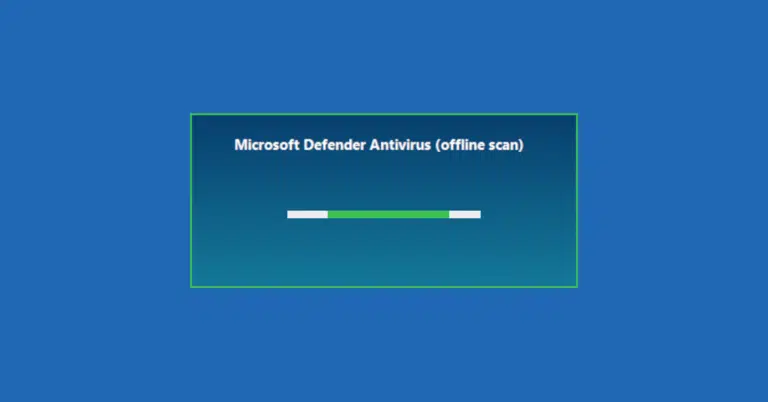
The problem lies in what Microsoft’s Defender software calls an “offline scan,” where offline doesn’t mean that the scanner works fine even if it’s not been updated over the internet, but that your C: drive is offline when the scan takes place.

The operating system itself runs from a ramdisk – a simulated disk drive set up in memory – instead of booting up and running from the C: drive.
This means that no files on C: are in use, no registry keys are locked, and the contents of the disk aren’t unexpectedly changing behind the scenes as the scan proceeds.
Also, and just as importantly, there’s very little chance (if all goes well) that any sneaky “rootkit” malware already on the C: drive could have activated early on during startup to shield itself from detection or removal.

Even if you know all the jargon yourself, Amos will help you explain it to colleagues, friends, and family in an unpretentious, unintimidating way.
When you request an “offline scan,” your computer reboots, but automatically restarts in Windows Recovery mode, which runs a stripped-down version of Windows out of memory, much like a live Linux CD if you’ve ever tried one.
As mentioned above, the operating system itself runs from a virtual disk stored in RAM, usually drive X: , and your C: drive is accessed as a regular data disk, if it were a USB device you just plugged in.
That’s important for recovery and repair, on the grounds that if your system isn’t running properly because of damaged or missing files, disk corruption, or other inconsistencies on C:, then booting up from the dysfunctional C: drive doesn’t give you a safe or reliable starting point for fixing things.
When this special sort of reboot happens, Defender bypasses the usual light-blue menu screens of recovery mode by adding a file called ReAgent.xml to your recovery partition that signals Defender’s special scanning software OfflineScannerShell.exe to run instead.
Of course, for this to work, the offline scanner needs read access to the C: drive to examine it, and write access to disinfect it if malware is found, so the drive needs to be unlocked by BitLocker at this point.
Amusingly, ironically, or riskily – depending on how you see it – the offline scanner isn’t truly “offline” in the recovery partition itself, because that might leave you with a scanner that hadn’t been updated for a while, perhaps even for ages.
In fact, the offline scanner program is actually loaded and launched from the C: drive once it’s unlocked (the scanner is updated, if possible, before your system reboots, to give it the latest in code and data to find and fix malware), which isn’t a perfect way to do a so-called “offline scan.”
But the rest of the operating system isn’t loaded from C:, thus giving the scanner a better-than-usual chance of finding and cleaning malware that has been sneakily buried in operating system files that are loaded early on in the bootup process.
If BitLocker is configured in TPM mode, you usually need your Windows password to access C: when booting normally, and to enter a 48-digit numeric password or recovery key when booting into recovery mode.
This is a security precaution to stop cybercriminals using recovery mode to get directly into your data.
But the Defender offline scanner, which assumes it’s the only user-facing program running, deliberately skips asking for the recovery key, waits for the onboard TPM chip to unlock C: automatically, and then scans it.
The online scanner then forces a reboot, supposedly without giving you a chance to intervene or interrupt the process, as speeded up and shown here:

When the reboot happens, the C: drive immediately reverts to being locked, so, in theory at least, this one-off sidestepping of the recovery key for the exclusive use of the offline scanner ought to be safe.
The bug exploited by GreatXML seems to have two parts:
ReAgent.xml file to the recovery partition will (or so N. Eclipse claims) reliably trigger an offline scan next time you reboot in recovery mode, even if you didn’t explicitly request an offline scan first. Anyone can initiate recovery mode without logging in to start with, whether the laptop is locked or turned off.
unattend.xml, usually used only to customize the initial Windows Setup process, is also added to the recovery partition, an attacker can trick recovery-mode Windows into running other programs “in the background” while the Defender offline scan is busy. These background processes can nevertheless pop up interactively on the screen.
Using my own unattend.xml, I successfully subverted the locked-down online scanner process by launching an admin-level command prompt window with open access to C:, and a copy of NOTEPAD with read-write access to almost all files on the computer:

In my tests, which I consider systematic but not exhaustive (they are not based on reverse-engineering any of the vulnerable software components), I couldn’t get Defender to run simply by injecting my own ReAgent.xml into the recovery partition.
(I even started an offline scan and intercepted the reboot to capture an official ReAgent.xml that referenced the unique disk IDs and metadata of my own computer, instead of relying on the generic version from N. Eclipse’s repository, but to no avail.)
But the unattend.xml trick, which to the best of my knowledge is supposed to be limited to the initial Windows setup process, did indeed allow me to subvert the Defender offline scanner every time I deliberately invoked it in future.
This allowed me to roam through the C: drive at will, to snoop on and control the offline scan, and to run pretty much any hacking or spelunking tools I wanted, without using the recovery key that is usually needed to access recovery mode.
However, explicitly triggering a Defender offline scan from Windows couldn’t be done with an unprivileged logon.
I needed either to be logged on with an administrator-level account already, and to go through a UAC (user account control) dialog, or to enter an administrator password to proceed.
Also, implanting the rogue XML files on the recovery partition required me to have admin-level access in the first place.
And with admin access, I could have printed out the current BitLocker recovery key anyway, meaning that I could have accessed an unlimited recovery-mode C: prompt directly, in a fashion explicitly supported by Windows.
In theory, on a computer where Secure Boot (the hardware protection used by Windows to regulate the files that are allowed to run to boot Windows to start with) was turned off, the rogue XML files could be implanted “offline” without admin-level privilege, which could provide a backdoor to exploit this vulnerability.
But Windows 11 enforces Secure Boot during installation by default; few corporate IT departments use the special shenanigans needed at setup time to bypass it; and with Secure Boot turned off, the pre-BitLocker startup process is no longer locked down and can be subverted anyway.
Also, to be clear, using BitLocker in TPMandPIN mode, where a numeric PIN is requested every time you start up, instead of unlocking entirely automatically, thwarted this attack in my tests.
In this mode, the Defender offline scan doesn’t get access to the C: drive unless you enter your secret PIN at the start.
If you skip putting in the PIN, which you’re allowed to do, you will need the 48-digit recovery key instead.
Similarly, BitLocker in pure Password mode, where the TPM chip is not used to store cryptographic information, and a full-on letters-and-numbers password is used for boot-time security, stops this attack, too.
In Password mode, the Defender offline scan won’t start unless you enter the recovery key first, and if you already have either the password or the recovery key, you can access a regular recovery-mode command prompt anyway, with full access to C:.
• Consider switching BitLocker to TPMandPIN mode, which prevents this attack.
Although you don’t need the full recovery key when a Defender offline scan runs, you will need to enter the PIN, which at least blocks the entirely unauthenticated misuse of this vulnerability to acquire an admin-level command prompt.
The automated nature of drive unlocking in pure TPM mode means that BitLocker’s protection could be subverted if a vulnerability is found in the Windows logon sequence, anywhere between the C: drive being automatically unlocked and the logon dialog popping up.
Numerous exploitable bugs of this sort have showed up over the years, so cybersecurity experts have long recommended that relying on BitLocker’s default TPM mode is risky – it ultimately leaves corporate data protected only by a user’s Windows logon password, and at risk from vulnerabilities anywhere in the Windows startup process.
• Watch this space for updates, workarounds and other official advice.
Microsoft published a remediation step for the YellowKey exploit shortly after it was dropped, so you can expect something similar this month in respect of GreatXML.
• Don’t leave cybersecurity to luck: Talk to SolCyber about signing up for a human-led, human-centric cybersecurity service that will free you up to concentrate on your core business.
Why not ask how SolCyber can help you do cybersecurity in the most human-friendly way? Don’t get stuck behind an ever-expanding convoy of security tools that leave you at the whim of policies and procedures that are dictated by the tools, even though they don’t suit your IT team, your colleagues, or your customers!

Paul Ducklin is a respected expert with more than 30 years of experience as a programmer, reverser, researcher and educator in the cybersecurity industry. Duck, as he is known, is also a globally respected writer, presenter and podcaster with an unmatched knack for explaining even the most complex technical issues in plain English. Read, learn, enjoy!

AI dominates headlines and newsfeeds these days, and AI-related cybersecurity headlines are no exception.

Even though Firefox isn’t based on Chrome, the coders of each browser engine made similar mistakes.

Does CVE-2026-41089 really represent the level of risk that some media reports imply?



By subscribing you agree to our Privacy Policy and provide consent to receive updates from our company.